Details
-
Type:
 Bug
Bug
-
Status: Closed
-
Priority:
 Major
Major
-
Resolution: Cannot Reproduce
-
Affects Version/s: 4.1.1
-
Fix Version/s: EE-4.2.0.GA
-
Component/s: ACE-Components
-
Labels:None
-
Environment:Tomcat 8, ios and android devices.
-
Assignee Priority:P2
Description
An ace:textEntry or other input component is inside a mobi:fieldset.
The textEntry uses the label and labelPosition = left attributes.
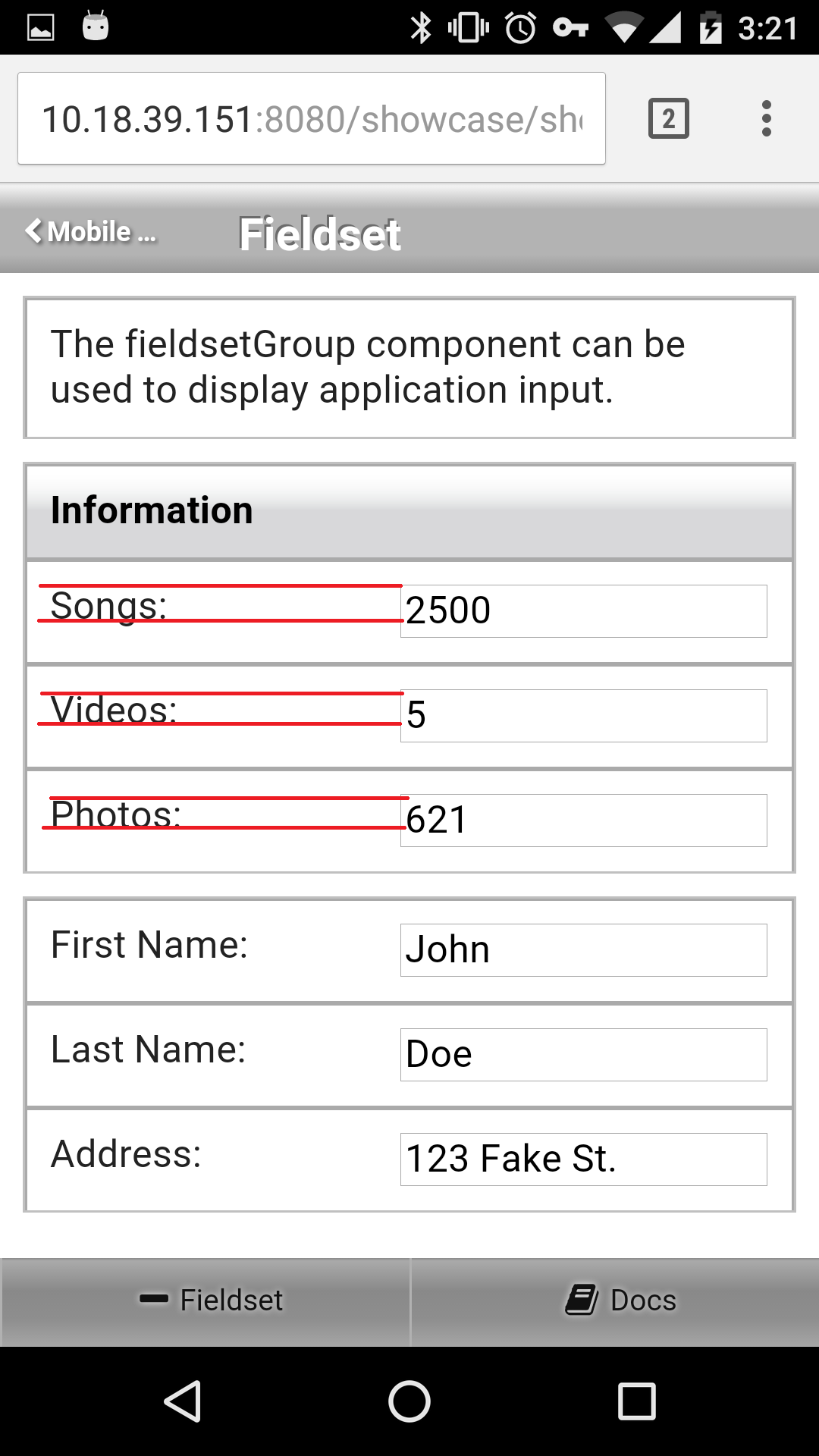
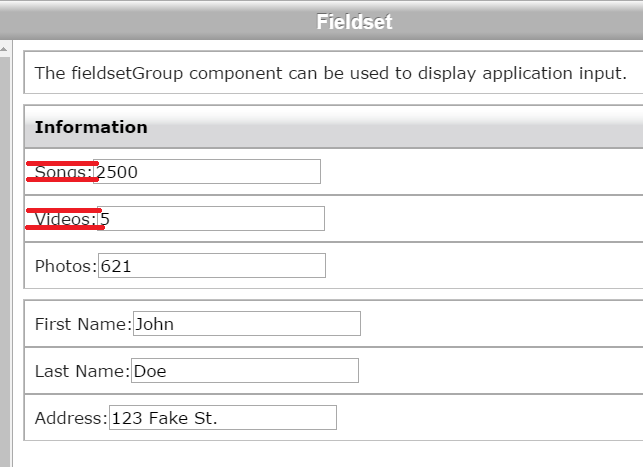
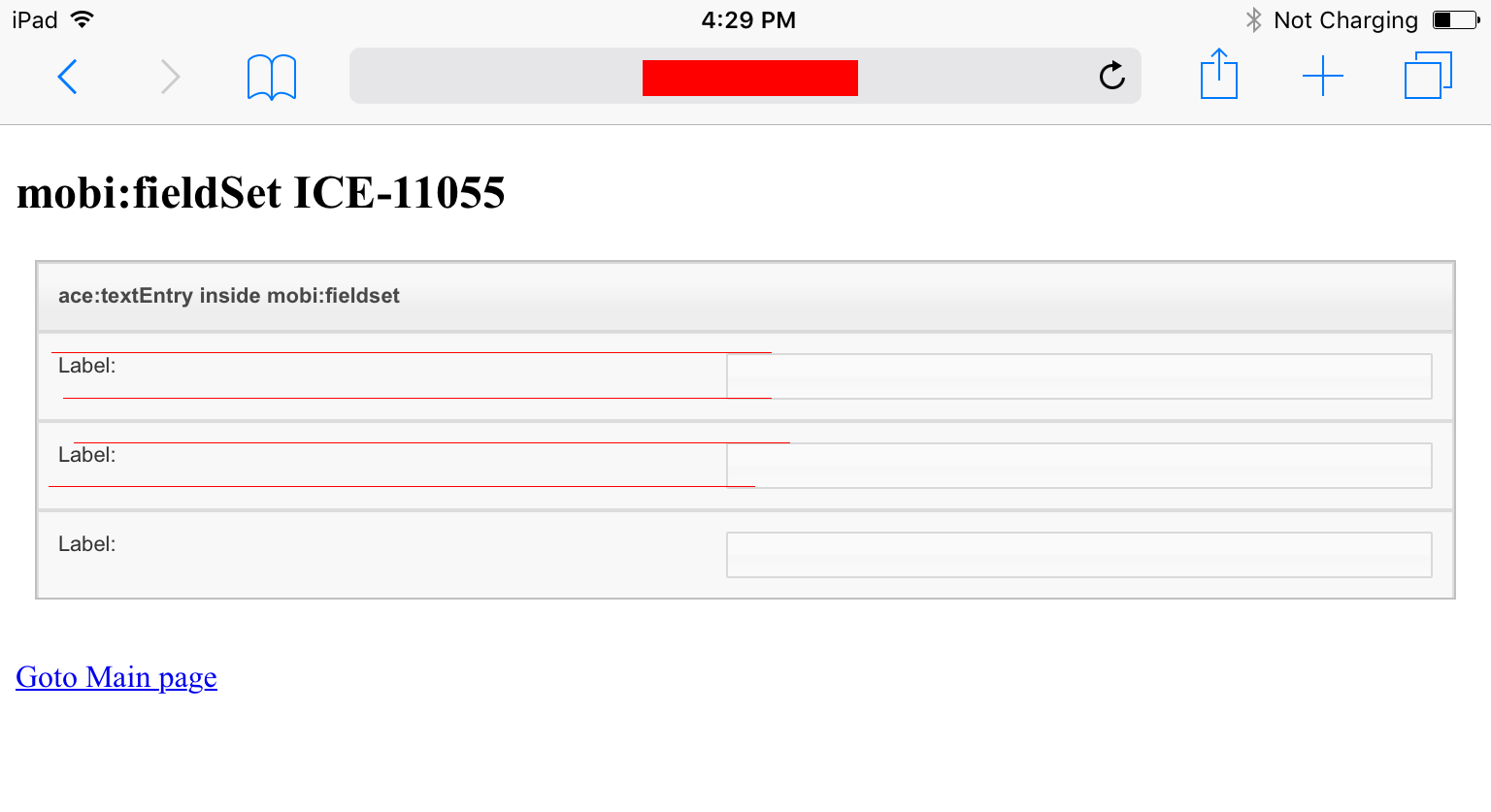
The label for the textEntry is vertically aligned with the top of the textEntry when viewed on a mobile device. This is not the case when viewed in a desktop browser where the label appears vertically aligned to the center.
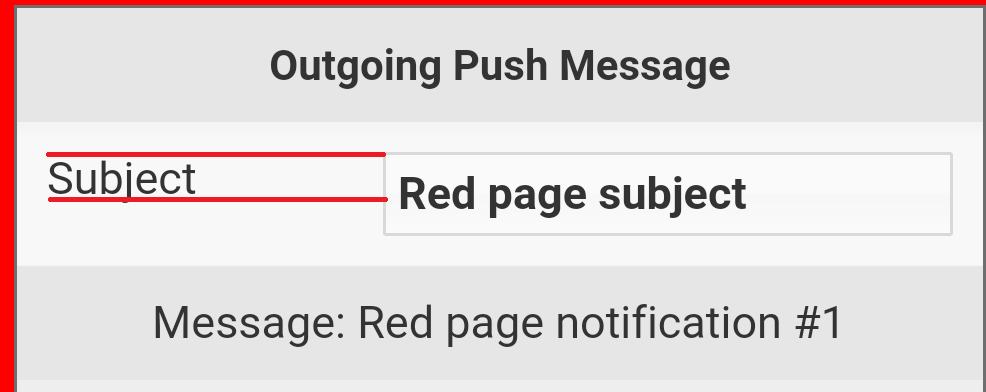
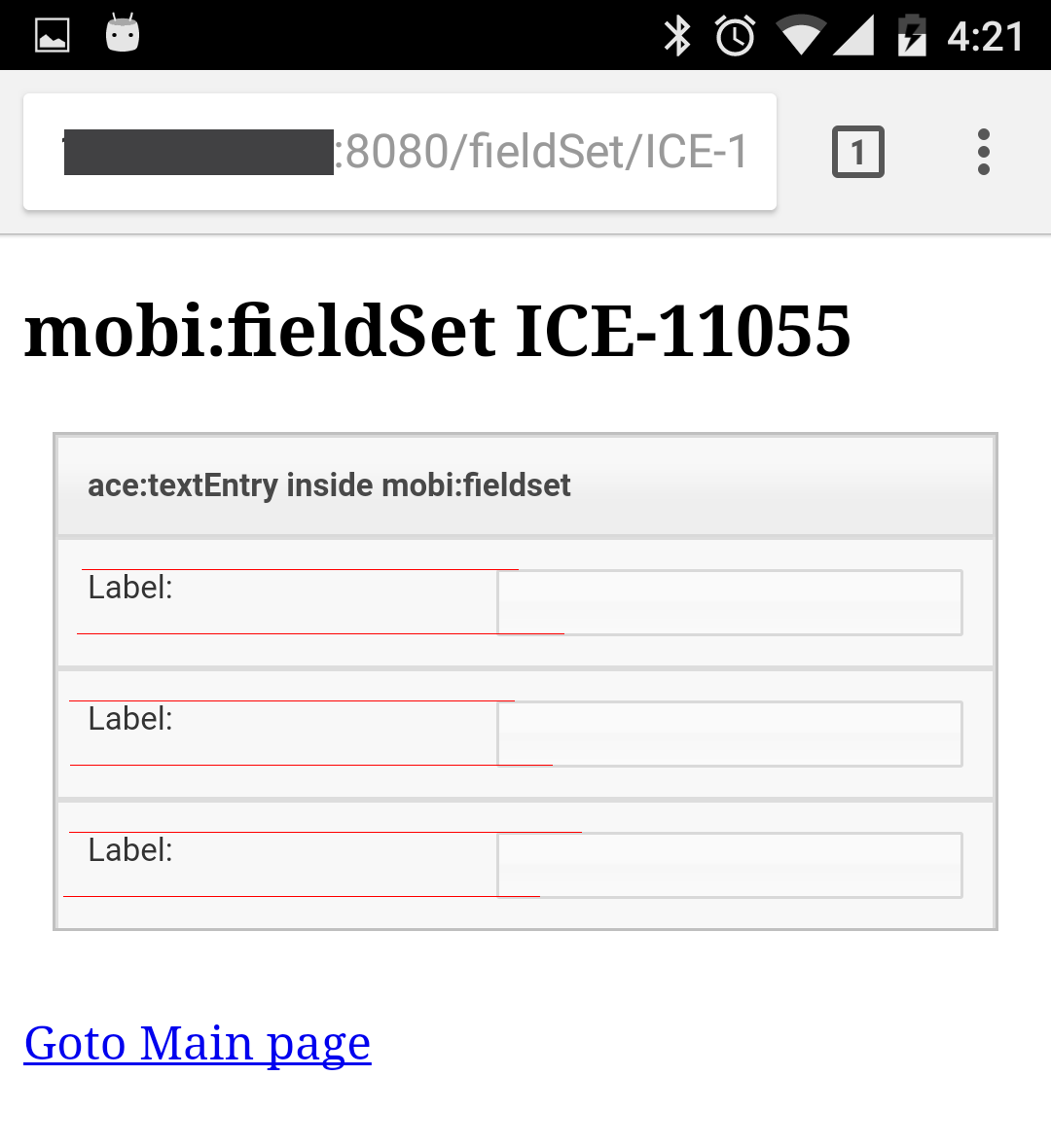
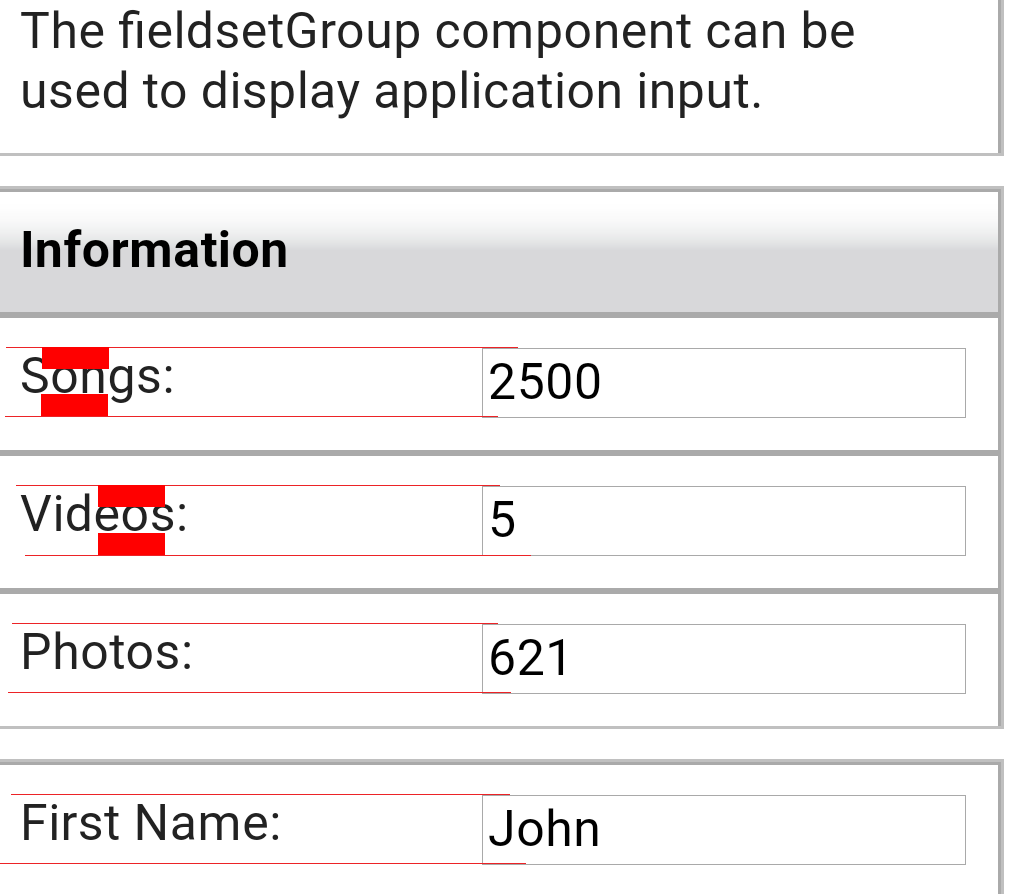
See attached screen shot. The red lines show the vertical alignment.
Activity
- All
- Comments
- History
- Activity
- Remote Attachments
- Subversion
Tested with ICEfaces 4 trunk r49216.
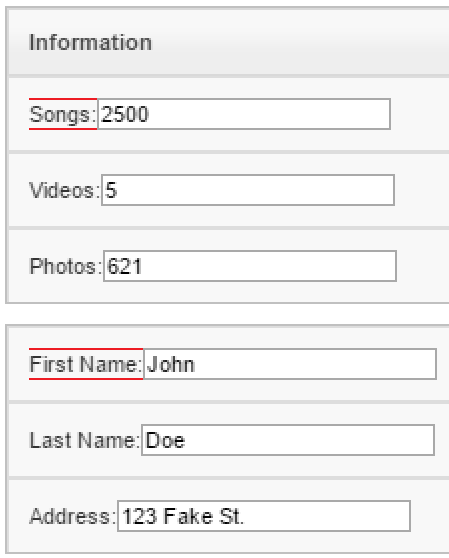
It may not be easy to see in the new screen shots I am attaching because the images are not the same size, but in the mobile version of fieldset (3.PNG) the label is not vertically center aligned with the textEntry. Instead it is nearly aligned with the top of the textEntry. In the desktop version of the same demo (4.PNG) the label is vertically center aligned with the textEntry.
In the first screen shot (1.png) the theme in use is rime so it may be more noticible because of the smaller font that the rime theme used in the label.
I cannot reproduce the issue using showcase, on my iPhone4S/iOS7 (IF4 trunk r.49219).
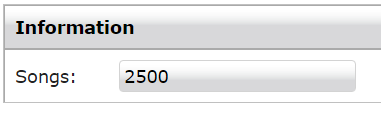
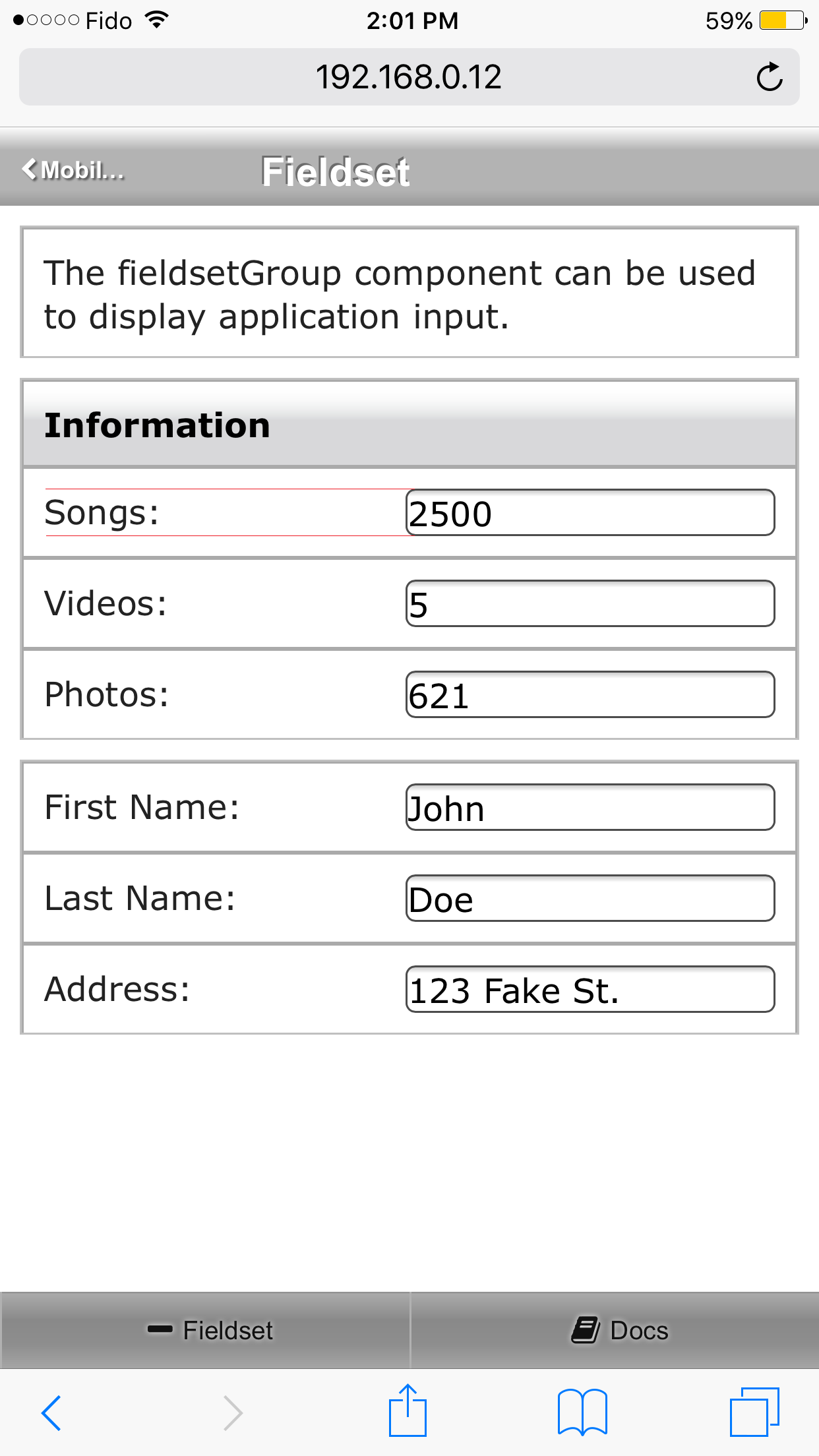
I still haven't been able to reproduce this issue. In ice11055-1.png the text seems aligned when using the rime theme on Desktop Chrome. With other browsers it looks the same. In ice11055-2.png hte text seems aligned as well on Safari on iOS.
Please confirm this or provide a specific scenario where the issue can be seen.
ICEfaces 4 trunk r51517. I have attached an image androidEnlarged.PNG (sam theme) which I captured with android 6.0.1 with up to date Chrome and the latest showcase. This is a nitpicky issue, hard to detect and seems to be worse on android. This is not an issue on desktop browsers. When you look at the image you will see that there is more white space underneath the label than there is on top. I drew identical red rectangles to show how they overlap the top of the letters with no ascenders or descenders.
Attached also is androidRime.png and ipadRime.PNG. Here you see the alignment issue much better as it affects android and ios.
New test page /ICE-11055.jsf added to http://dev.icesoft.com/svn/repo/qa/trunk/Regression-Icefaces4/Sparkle/Manual/fieldSet
I can't reproduce this issue, both, inside and outside the showcase app. See image 2.png. Please re-test to see if this is still an issue, and, if it is, please provide a specific test case showing the issue.
Markup:
        <mobi:fieldsetGroup>
            <mobi:fieldsetRow group="true">
                Information
            </mobi:fieldsetRow>
            <mobi:fieldsetRow>
                <ace:textEntry id="songs" value="2500" label="Songs:" labelPosition="left" />
            </mobi:fieldsetRow>
        </mobi:fieldsetGroup>